Service documentation, generated from the model
Your CAD already knows how the machine comes apart.
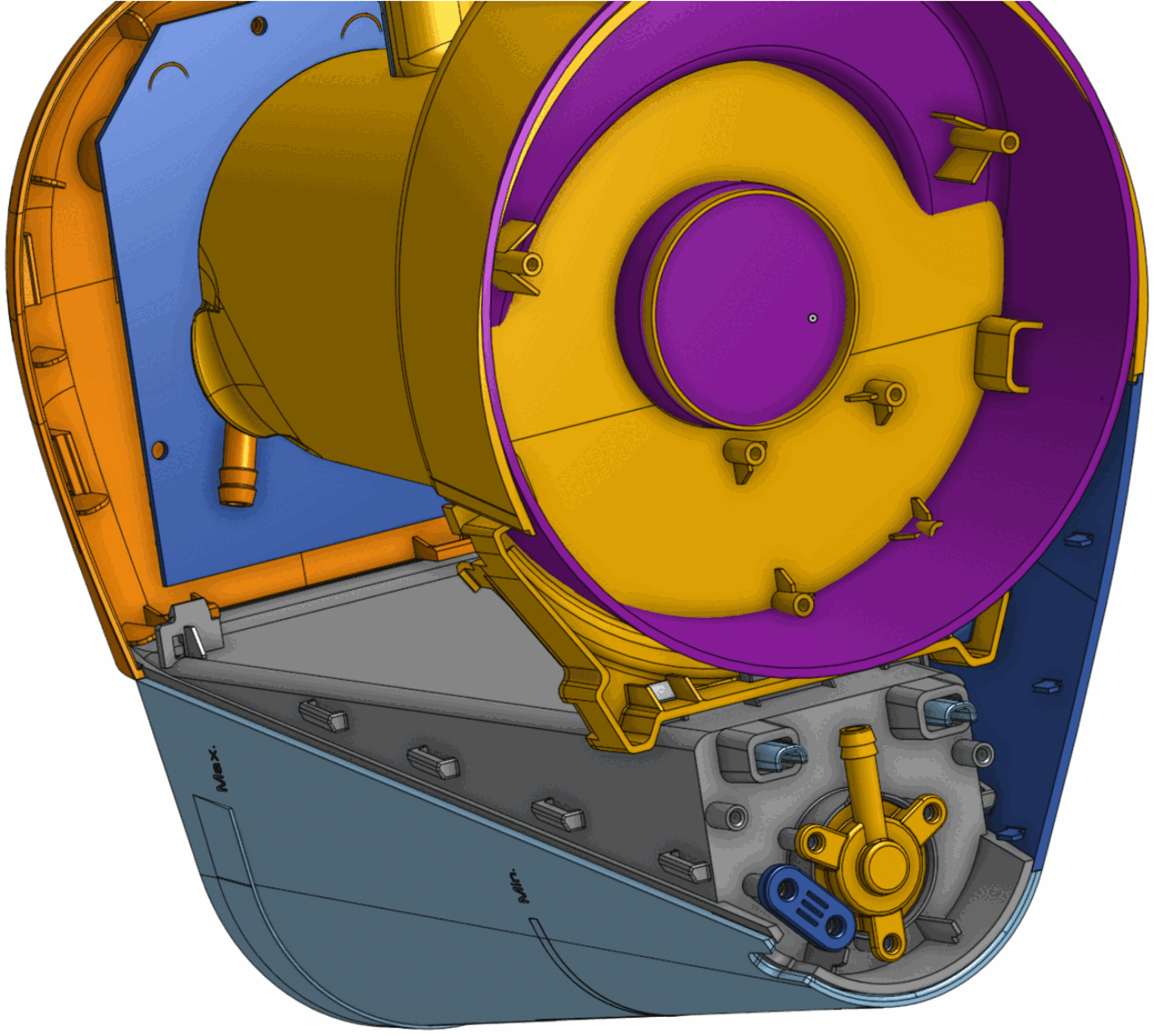
TechDocsFactory reads your 3D models, electrical and hydraulic schematics and service notes, and produces three things a field technician can actually use: a troubleshooting assistant, IKEA-style repair instructions, and an interactive 3D app.
The problem
Repairs today
The machine in front of the technician is specific. The documentation almost never is.
Documentation
Outdated, generic, or silent on the exact part in the technician’s hand.
Tribal knowledge
A handful of senior technicians know all the quirks of the machines — and nobody else does.
The bill
Longer repairs, more escalations, slower onboarding for every new hire.
You already have the 3D models and all the schematics.
We turn them into instructions a technician can just follow. No manual authoring, no illustration pass, no rewrite cycle — the CAD model stays the source of truth.
What you get
Three outputs, one source
One pipeline runs over the engineering data you already maintain. When the model changes, the documentation is regenerated rather than rewritten.
Source
- CAD models and assemblies
- Electrical & hydraulic schematics
- Text descriptions, service bulletins
Output 1
Diagnostics assistant
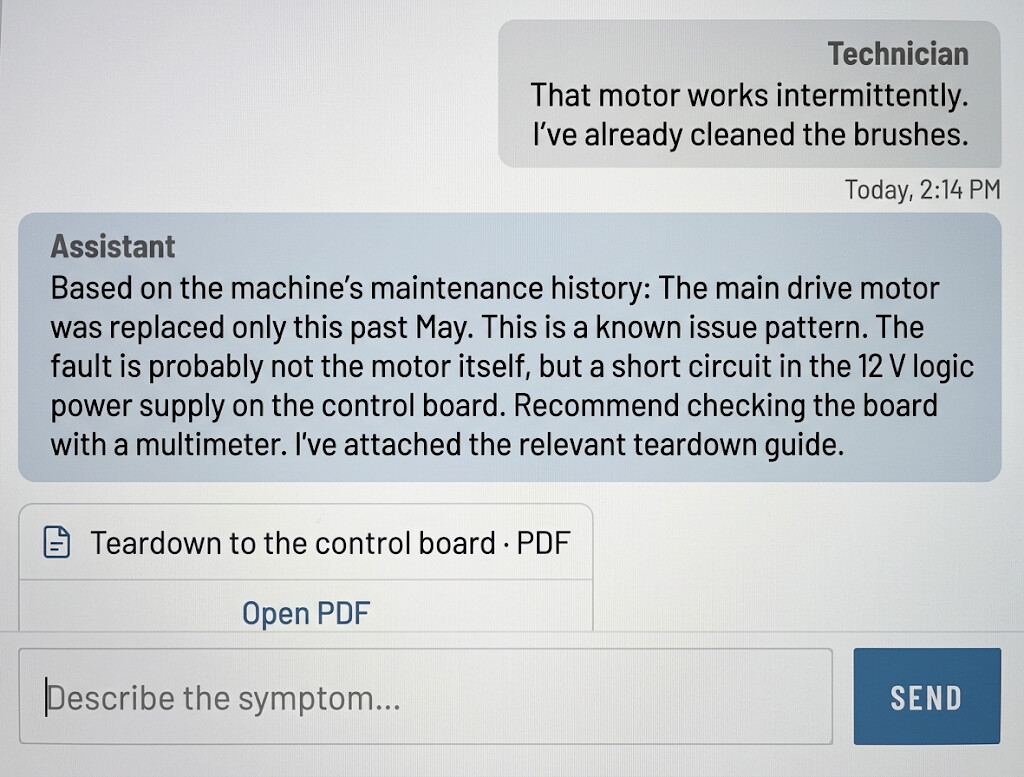
The technician types what they see — “won’t heat”, “motor is not spinning” — in whatever words come first.
- 01The assistant asks clarifying questions and narrows down the likely cause.
- 02It reads the machine’s own service history, not a generic fault table.
- 03It hands off straight into the repair sequence for the part it named.
Output 2
Step-by-step instructions
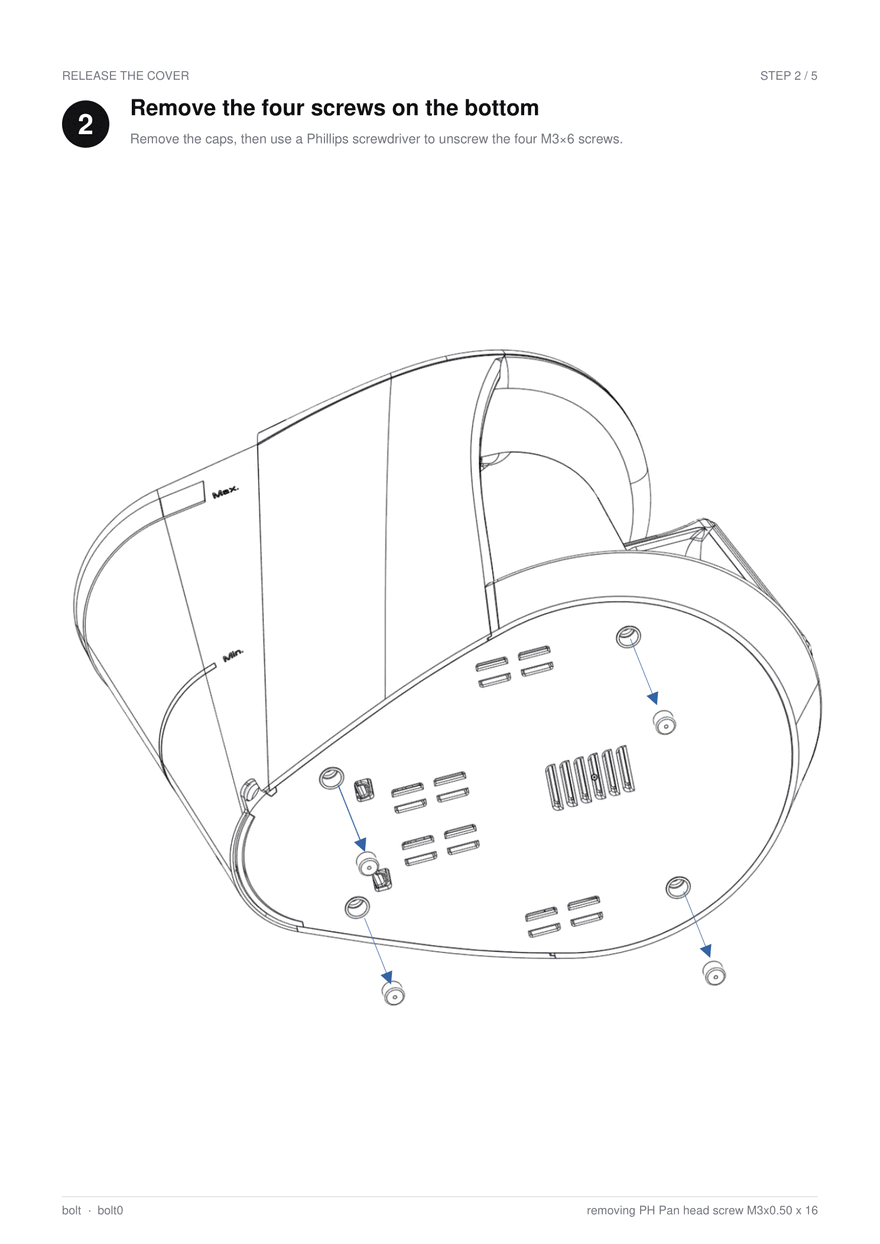
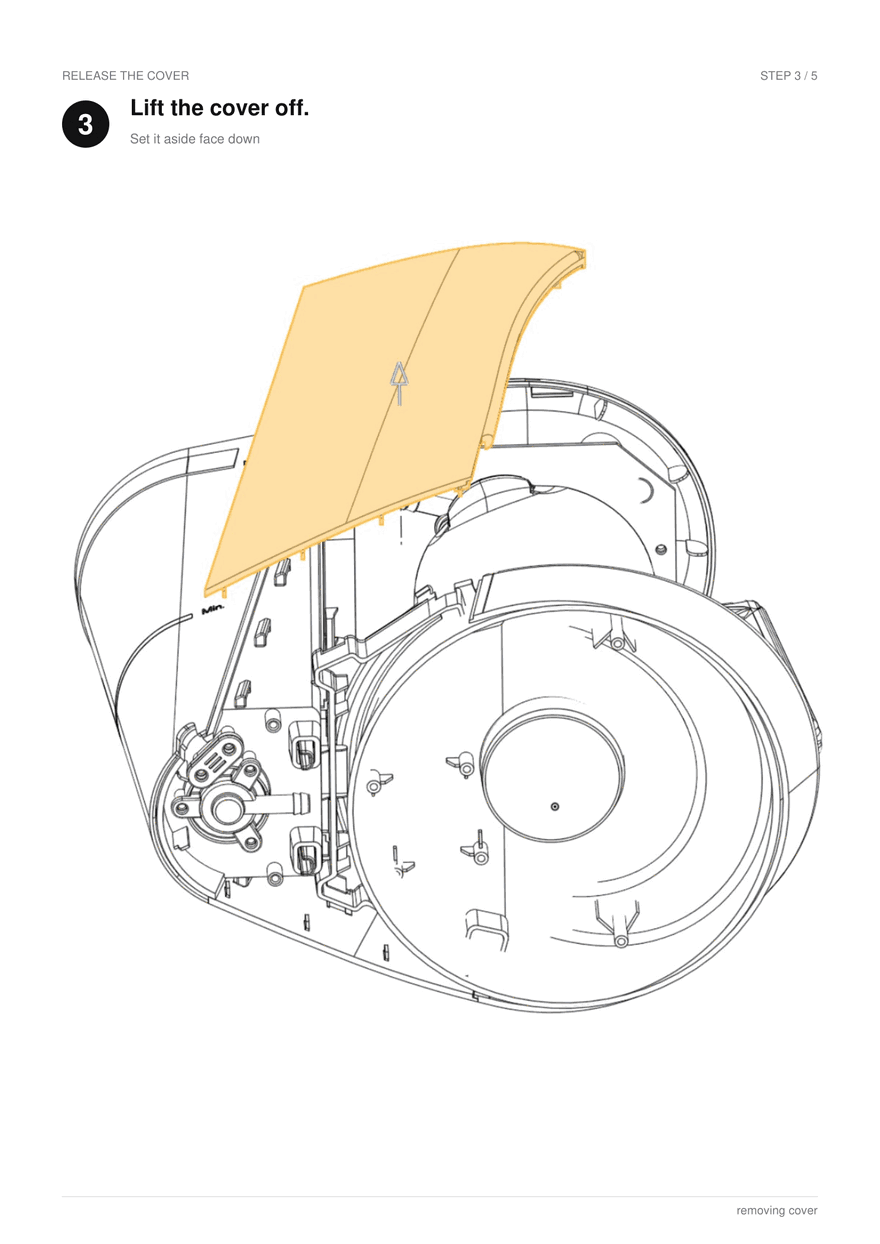
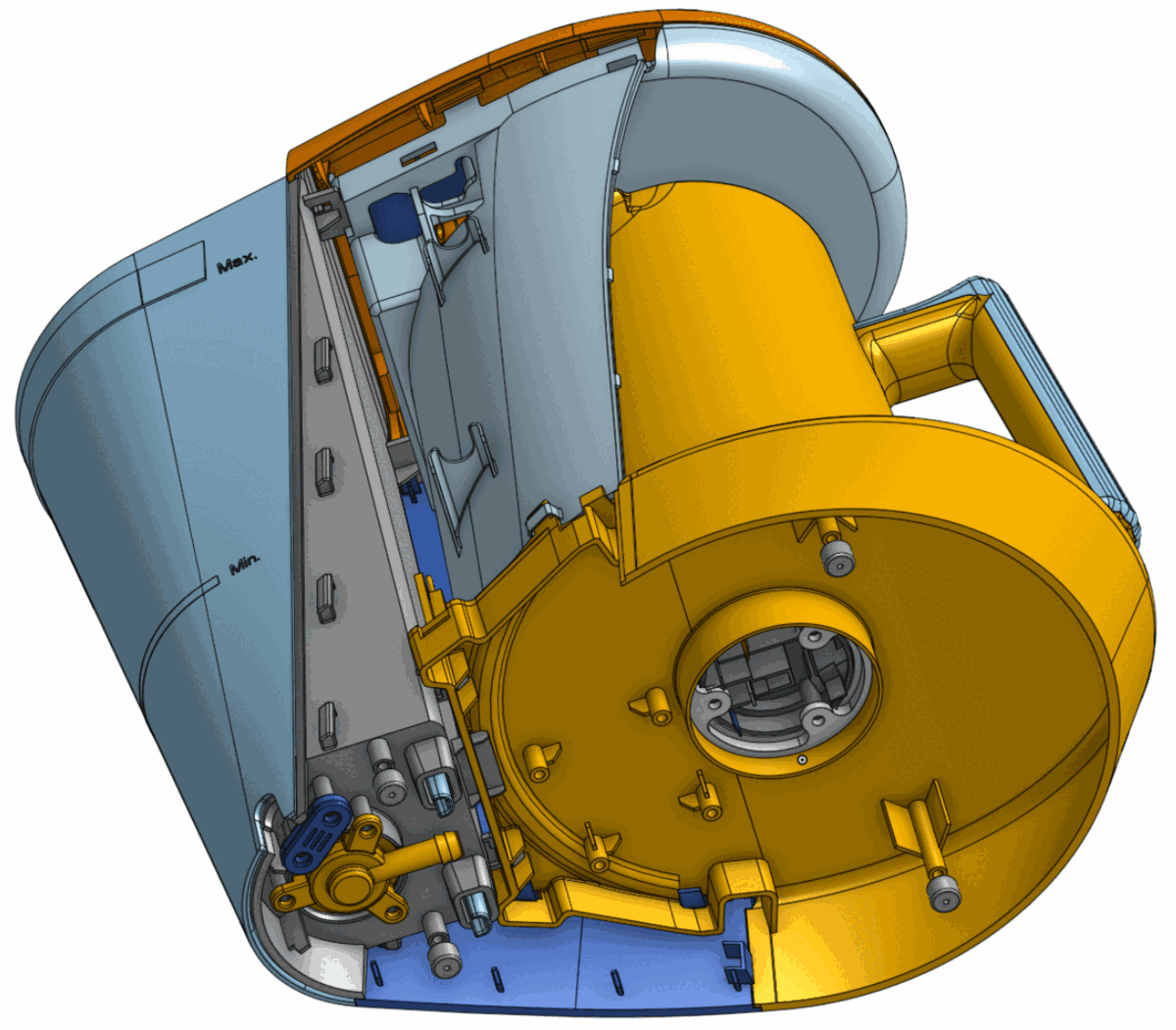
IKEA-style instructions, generated on the fly for each part that needs to be replaced. One action per step, minimal text, illustrations drawn from the model itself — here, two consecutive steps from a five-step bolt removal.
- 01Every step is one action, with the part highlighted and its direction of motion drawn on the model.
- 02Fastener spec and tool come out of the model. For example four M3×6 screws, Phillips
- 03Instructions are downloadable as PDF for use offline.
Output 3
Interactive 3D app
A live digital twin of the technician’s exact machine — not a generic diagram of the product line.
- 01Carries that unit’s repair history and its modifications.
- 02Parts are selected by sight, not by part-number lookup.
- 03Instructions and the assistant stay in the same view as the model.
How it works
From CAD to instruction
Four stages, run over the engineering data as it already exists. Nothing is redrawn by hand.
Source
CAD models, electrical and hydraulic schematics, text descriptions.
Extract
Geometry, fasteners, and the relationships between parts.
Order
The removal and reassembly sequence, solved rather than guessed.
Narrate
Plain-language wording and an illustration for each step.
Control
Expert review before release
The pipeline drafts. Your people approve. The generated set is a starting point to check, not a document to trust blindly.
What the pipeline produces
A complete draft sequence for every part, with wording and visuals — ready to be checked rather than written.
What your experts decide
Any step can be corrected or overridden: safety warnings, house terminology, notes specific to your equipment.
Nothing ships unreviewedImpact
What changes for the service organization
| Measure | Today | With TechDocsFactory |
|---|---|---|
| Time to repair | Search, then guess the order | Select the part, follow the steps |
| Tribal knowledge | Held by a few senior techs | Written into the instructions |
| New-technician ramp | Months of shadowing | Guided from the first call |
| Documentation upkeep | Manual rewrite per change | Regenerated from the CAD |
Deployment
Cloud, or inside your network
Engineering data is usually the most restricted data a manufacturer has. Both options run the same pipeline.
Cloud service
Upload an assembly, get a reviewed instruction set back. Nothing to install, and new machines can be added one at a time.
- Setup
- Same week
- Best for
- First machines, pilots, service teams without IT capacity
On-premise licence
The same software, rented and deployed inside your own network. CAD, schematics and service history never leave your infrastructure.
- Setup
- Installed with your IT
- Best for
- Defence, regulated industries, strict IP policies
Next step
Send us one machine.
Give us the CAD assembly and schematics for a single machine your technicians struggle with. We return a complete draft instruction set for it, for your experts to review — and you can judge the output on your own equipment rather than on a demo.